
Mimecast Secure (Encrypted) Messaging will safeguard the security and privacy of information that is sent via email.
**There is a link at the bottom of this article of the client/recipient documentation that you can download and send to anyone.
To Send a Secure Email:
- Type the word “xsecure” anywhere in your email subject line.
This instructs Mimecast to encrypt the email contents and any attachments.
- You will receive a confirmation email that the email was picked up and opened. It is date/time stamped.
********************************************************************************
To Receive a Secure Email: (What the recipient must do)
You are encouraged to send yourself a secure email with xpsecure in the subject at an outside email account such as Gmail, Yahoo, etc. to have a better feel for the recipient experience. This will be useful as you may be the first person the recipient approaches with questions about receiving a secure email.
- Type the word “xpsecure” anywhere in your email subject line.
This instructs Mimecast to encrypt the email contents and any attachments and will force the recipient to the secure Mimecast Portal to pick up their message.
- The recipient will receive an email that looks like this.
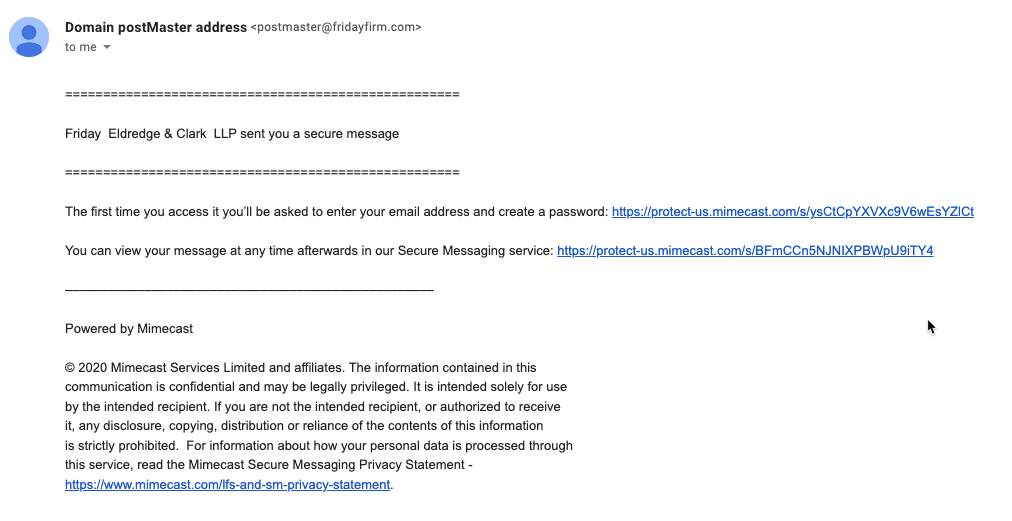
- As a new recipient of a Mimecast secure message, you will be prompted to create an account

NOTE: Each recipient only needs to set up their account one time in order to receive secure email from senders at Friday, Eldredge & Clark.
************
- After you create a password that meets the criteria, you are prompted to log in.

- Once logged in, your Mimecast mailbox appears.
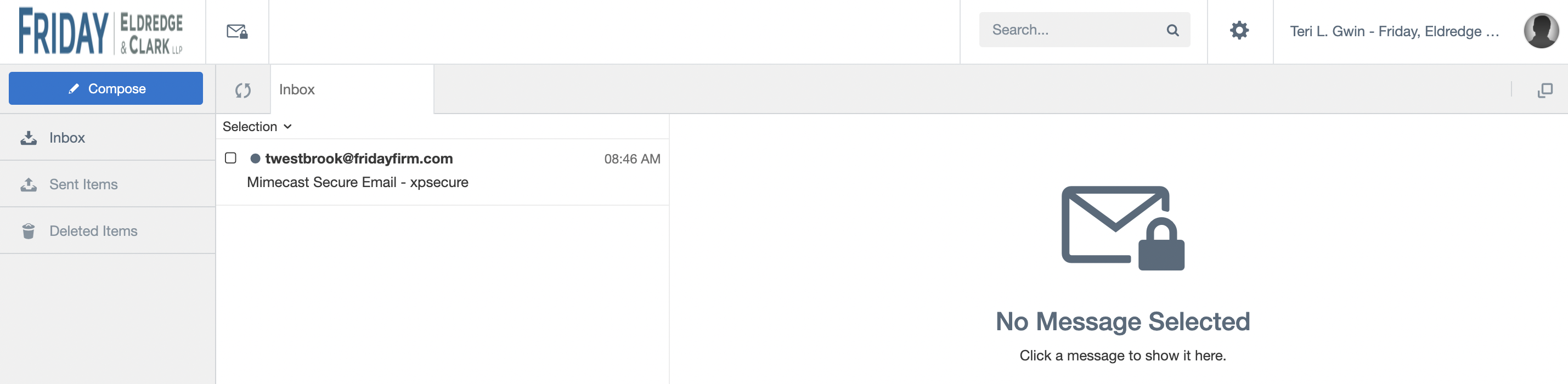
- Click on a message in the inbox to open it.

- Use the printer icon to print a secure message

- Reply/Forward options

- Compose a new secure email

Comments