- Open VLC Media Player from the start menu
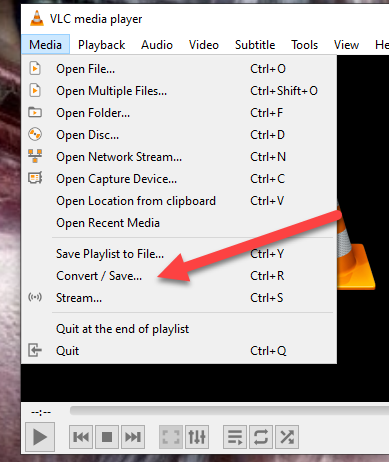
- Click Media
- Click Convert/Save…
- Click Add
- Browse to the locally saved file
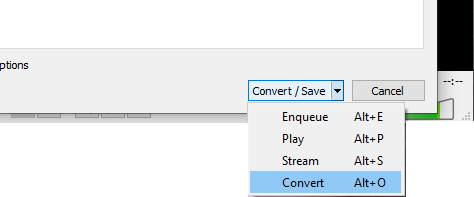
- Click the down arrow next to Convert/Save
- Click Convert from the menu
- Select the profile from the dropdown menu
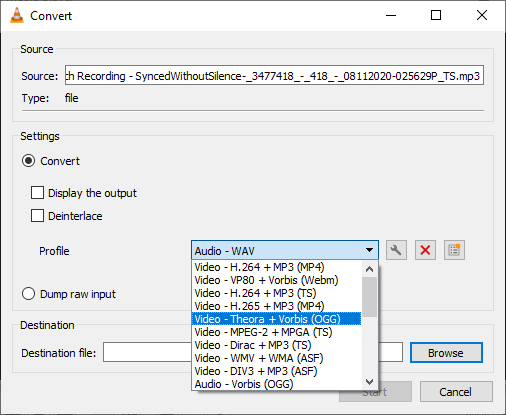
If there is not an option for a format you need, contact I.T. and we can assist with creating it. - Click browse to set the file name of the converted file and the destination for it to be saved to.
- Click Start
- The play bar of VLC will move across for the progress of the convert.
Audio is usually very quickly but video can take some time.
Converting Media format with VLC

Have more questions? Submit a request
Comments